How to use?
Use QR code
Use device screen
User Manual
Remember:
- Once the locker is closed, it cannot be reopened or closed again without paying a new storage fee.
- Opening the locker after closing ends the rental period according to § 5.3 of our Terms of Service. A new payment is required to rent again.
Storing luggage using the main screen:
- On the main screen, select “RENT”.
- Choose the locker size you need – L for suitcases, M for smaller bags or backpacks.
- Confirm the rental period – 24 h.
- Click “Proceed to payment”.
- Pay using banknotes (10, 20, 50 PLN), coins (1, 2, 5 PLN), or the payment terminal.
- After payment, wait for the transaction status. The machine gives change.
- The locker will open automatically. Take the receipt with the locker number and PIN – do not share it!
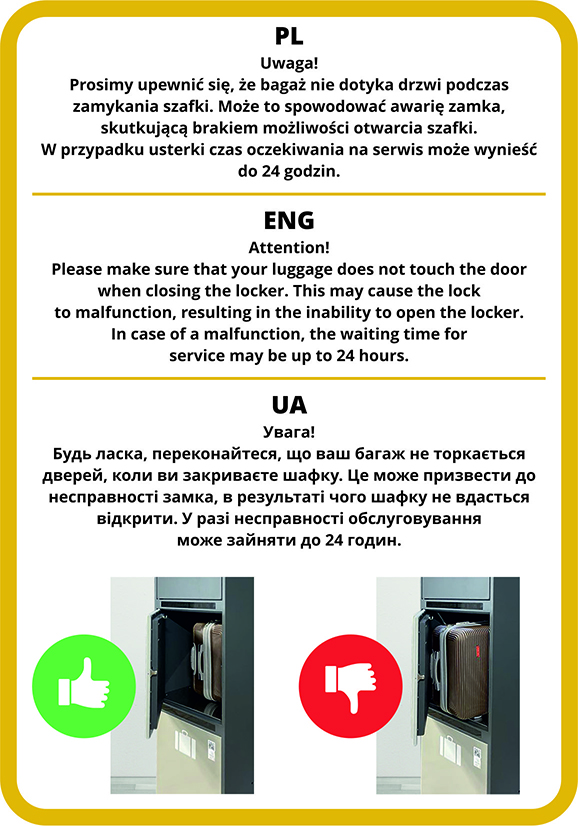
- Place your luggage inside and close the door.
IMPORTANT: Take a photo of the receipt. Do not share your locker number or PIN. If you lose the access data, contact support immediately.
Retrieving luggage using the main screen:
- Select “Open” → “End rental”.
- Enter the locker number and PIN, then press “Open”.
- If 24 h is exceeded – you will be asked to pay an additional fee.
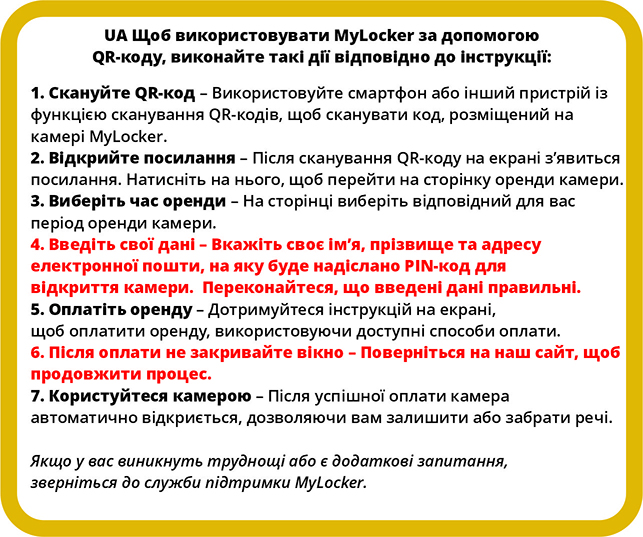
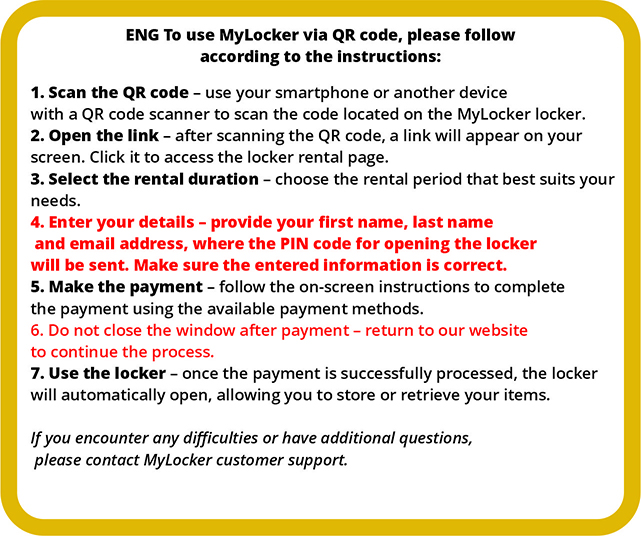
Storing luggage using the QR code:
- Scan the QR code on an available locker (green light).
- Select the rental duration (24h).
- Accept the price and click “Proceed to payment”.
- If not logged in – enter your name, email, and accept terms and privacy policy.
- After successful payment, the locker opens automatically. You’ll receive locker number and PIN via email and on your phone screen – save or screenshot them.
Retrieving luggage using the QR code:
- Scan the QR code on the previously rented locker.
- Enter the PIN and press “Open”.
- If the rental time was exceeded – you will be asked to pay an additional fee.
Thank you for using our luggage lockers!